Your School Email Address
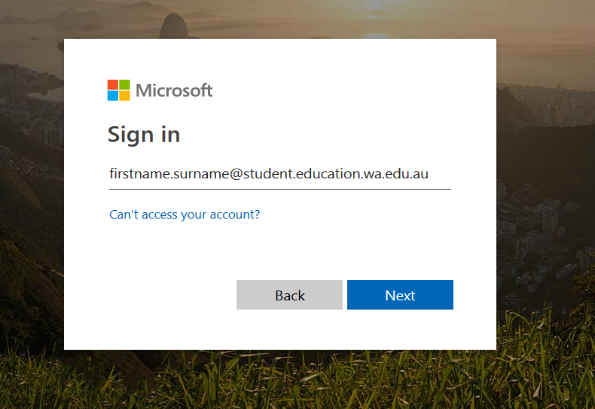
All students have an Education Department email which is usually firstname.lastname@student.education.wa.edu.au.
This email is automatically linked to your Connect. When teachers put notices on Connect, an email is sent to this address to alert you to read the notice in Connect. Use this email address for all school-based activities and programs you login to.
Resetting Your Password
The user validation process is to verify your identity, which will then permit you to reset your password in the future.
Change User Validation Question
This will ask you to login to change your validation question.
https://apps.det.wa.edu.au/dam/portal/changeHintPage.do
Forgot Password
This will ask for your validation question and let you change your password.
https://apps.det.wa.edu.au/dam/portal/resetPassPage.do?skin=portal
Outlook and Webmail
The students can access their emails via Connect and Compass when they login there is an envelope icon in the top tool bar. Clicking on that icon will take them to their emails.
Alternatively, they can also access their emails via Office.com. Sign in using the students’ education email address.
Their education email address is their Connect username followed by @student.education.wa.edu.au, usually firstname.lastname@student.education.wa.edu.au. You will be prompted to enter your username and password; this is the same username and password used for Connect.
Connect and Compass
You can access Connect and Compass via the link at the top of the webpage. Teachers at Applecross SHS use Connect and Compass to share resources, notify students about class information, lead discussions on class topics, and serve as a place for students to collaborate and submit work. The username and password to access Connect and Compass are the same as your network username and password.
Resources:
ClickView Online
ClickView Online allows you access to the school video library over the Internet. This enables you to view video programs shown in class 24/7. This is very useful for revision purposes or if you are absent from class when videos are shown.
1. The first step to access is to go to this address http://clickview.applecross.wa.edu.au/
Wheelers eBooks and Audiobooks
Our Library may be closed during the holidays, but our eLibrary is always open. All students at Applecross Senior High School have been registered to borrow our wonderful collection of eBooks and audiobooks. To start reading on your laptop or desktop computer CTRL click on the following link, or type https://applecrossshs.wheelers.co into the address bar of your internet browser, login with your Connect username, Applecross1 as your password, and you are ready to borrow.
If you have an Android tablet, smartphone, iPhone or iPad, we recommend accessing https://applecrossshs.wheelers.co/help/apps to download your free app.
Installing your Education copy of Microsoft Office 365
Installation Instructions
1. Open an internet browser and type portal.office.com in the address bar and enter, or, click the following link https://www.office.com/?auth=2&home=1.
2. Enter your Department of Education email address & click next
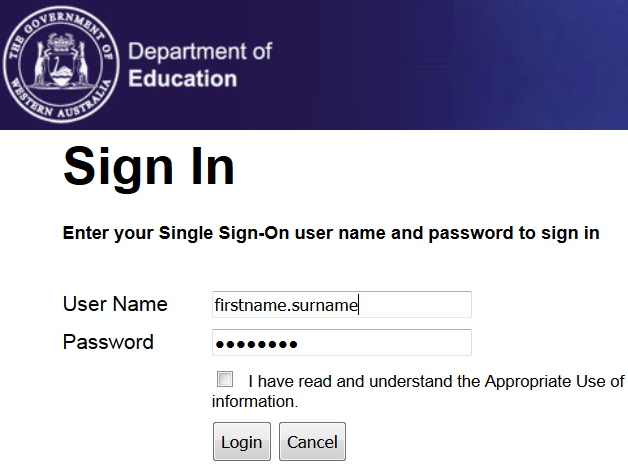
3. Enter your school login details, check the box (I have read and understand the Appropriate Use of information) and click login
4. Click Install Office
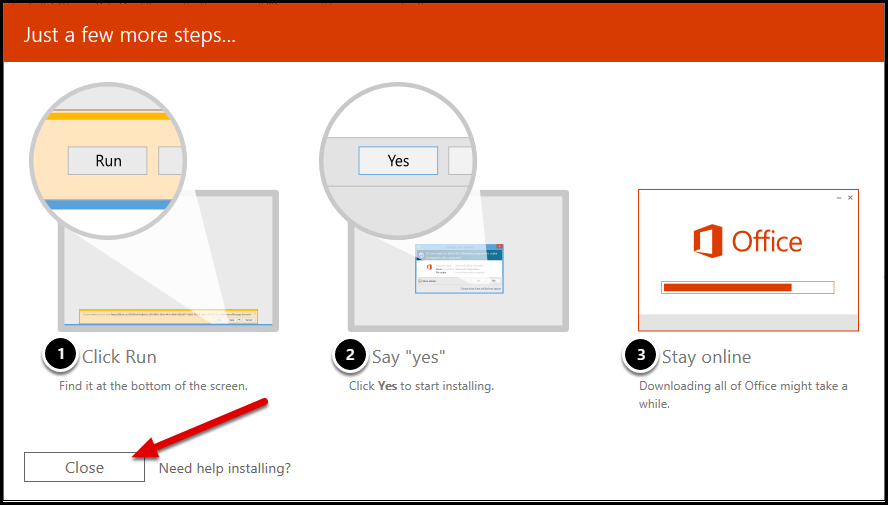
5. Click Run.
6. Click Yes to begin installation.
7. Download may take a while. Be patient.